


Cawice: Security Camera
3.9849.00 Reviews
App Specs
- Version
- 2.2.3
- Updated On
- License
- Free
- Downloads
- 500,000+
- Developer
- Cawice
- Categories
- House & Home
- Platform
- Android
Screenshots
 Analysis by AppCompare
Ever thought about turning your spare smartphone into a security camera? Well, I stumbled upon this nifty app called Cawice: Security Camera, and boy, was I intrigued! Let me walk you through my experience with it and see if it might be the security solution you’ve been looking for.
Setting Up Cawice: Easy as Pie
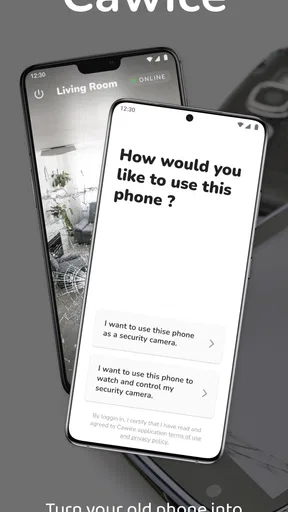
First things first, getting started with Cawice is a breeze. You just need to download the app on both your old phone (which will act as the camera) and your current device (which becomes the monitor). No need for any fancy equipment or tech expertise. I was up and running in just a few minutes.
The app guides you through the setup process with clear instructions. You simply log in with the same Google account on both devices, and voilà, your security system is ready to go. I loved how straightforward it was, no confusing tech jargon or setup nightmares.
Features That Stand Out
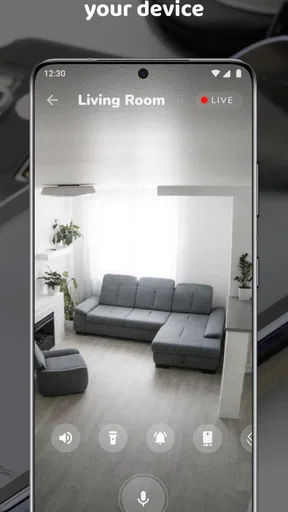
Let’s dive into what makes this app stand out from the crowd. Cawice offers real-time video streaming, which is pretty neat. You can watch live footage from your old phone right on your current device. I found this feature really handy, especially when I wanted to check in on my home when I was away.
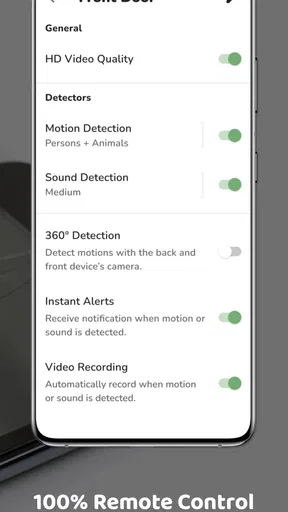
Another cool feature is the motion detection. The app sends alerts to your phone if it detects any movement. I tested this by sneaking past the camera, and sure enough, I got an instant notification. Talk about peace of mind!
And let’s not forget the two-way audio. This allows you to communicate with whoever’s on the other end. I tried this out with my pet dog, and it was hilarious to see her react to my voice coming from the old phone!
User Experience and Interface
The user interface is intuitive and user-friendly. Navigating through the app felt seamless, and everything was pretty much self-explanatory. The settings are easy to find and tweak according to your preferences, whether you want to adjust the video quality or set up the motion detection sensitivity.
Worth Reading Before You Choose

EA SPORTS FC Mobile 26 Is a Bigger Football Game, but It Takes Time

Flipboard Shows What News Apps Must Do Beyond the Feed

Switching to Android Auto Means Rethinking Your Driving Routine

Google Calendar Makes a Crowded Week Easier to Manage

Ludo King Makes the Most of the Minutes Between Plans

Baby Panda World Brings Quick Play to Modern Phones, but Its Game Library Feels Busy
I particularly appreciated the feature that lets you switch between front and rear cameras. It’s like having a mini CCTV system at your fingertips, without the hefty price tag.
Performance and Reliability
Performance-wise, I was impressed with how smoothly the app ran. The live stream was crisp, and I didn’t experience any significant lag or glitches. The motion detection was spot-on and didn’t miss a beat.
However, keep in mind that the app’s performance can vary depending on your internet connection and the quality of the old phone you’re using. It’s worth testing it out to ensure it meets your needs.
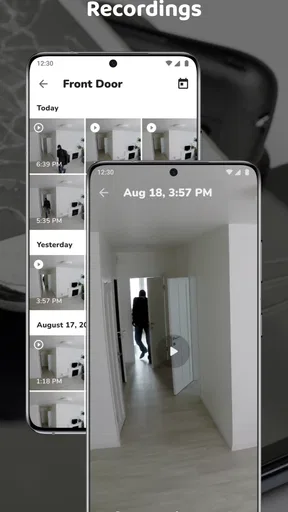
The app also offers cloud storage options, so you can save your recordings for later viewing. This is a brilliant feature if you want to keep a record of past events or if you’re using it for more serious security purposes.
Is Cawice Worth It?
So, is Cawice: Security Camera worth the download? In my opinion, absolutely! It’s a cost-effective way to repurpose an old device and add an extra layer of security to your home. The app is packed with features that make it versatile and reliable.
Whether you’re using it to keep an eye on your pet, make sure the kids are safe, or just have an extra security measure, Cawice delivers on its promises. Plus, it’s a fun DIY project that tech enthusiasts will enjoy.
Overall, I’d say give it a shot if you have an old phone lying around. It’s a smart, eco-friendly way to enhance your home security without breaking the bank. And who knows, it might even spark a newfound interest in home security tech!
Pros
- Easy setup with minimal technical knowledge required.
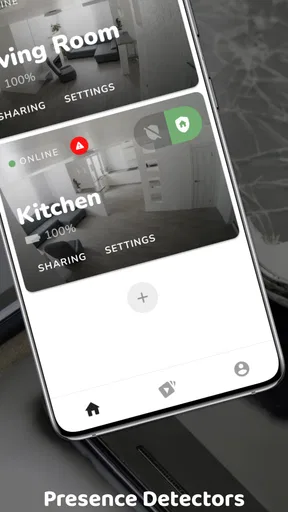
- Supports multiple devices for broader coverage.
- Remote viewing from anywhere via the app.
- High-quality video streaming with low latency.
- User-friendly interface with intuitive controls.
Cons
- Requires stable internet for optimal performance.
- Limited features in the free version.
- Consumes significant battery power on devices.
- Some users report occasional connectivity issues.
- Ads can be intrusive in the free app version.
FAQs for Cawice: Security Camera
What is Cawice and how does it work?
Cawice is an app that transforms your old smartphone into a surveillance camera. By installing the app on two devices, one acts as the camera while the other serves as the monitor. It offers live streaming, motion detection, and cloud storage features, making it a cost-effective home security solution.
Is Cawice compatible with all smartphones?
Cawice is compatible with most Android smartphones. However, it requires Android 4.4 or higher to function properly. Unfortunately, Cawice is not available for iOS devices at this time, so make sure your devices meet the requirements before downloading.
Are there any costs associated with using Cawice?
Cawice offers a free version with basic features, but there is also a premium version available through in-app purchases. The premium version provides additional features such as HD video quality, ad-free experience, and extended cloud storage options, enhancing your security setup.
How secure is the data captured by Cawice?
Cawice prioritizes user privacy and security by ensuring encrypted connections between devices. Data like video feeds and recordings can be stored securely in the cloud, and users have control over who can access the feeds. Always ensure strong passwords and update the app to its latest version for optimal security.
What features does Cawice offer for motion detection?
Cawice includes a motion detection feature that sends notifications to your monitoring device whenever movement is detected. Users can adjust sensitivity settings to reduce false alarms and access recorded footage instantly. This feature is essential for keeping your property secure and being alerted in real-time.


